
Multi-Gig Networking Made Easy
As Wi-Fi 6E/7 access points, 4K security cameras, and bandwidth-hungry applications become standard, networks demand more than 1 Gbps per port. Enter the Ubiquiti USW-Pro-Max-16-PoE, a 16-port Layer 3 PoE++ switch with 2.5G and 10G uplinks, designed to simplify multi-gig networking deployments. But top-tier hardware alone won’t cut it you need a smart, professional setup to truly unlock its potential.
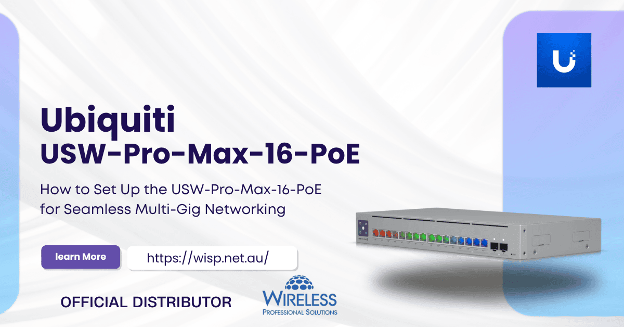
Here’s your step-by-step guide to deploying the USW-Pro-Max-16-PoE for seamless, rock-solid performance.
Step 1: Rack, Power, and Cable Like a Pro
Physical Setup That Prevents Headaches Later
- Rack Mount Securely: The USW-Pro-Max-16-PoE fits standard 1U racks. Secure it using the included mounting ears to protect ports and cables from strain.
- Connect Redundant Power (Optional): If you have UniFi SmartPower RPS, connect it for failover power.
- Use Certified Cables: For 2.5G and 10G links, use Cat6A or better to ensure full multi-gig throughput without signal degradation.
Step 2: Adopt the Switch into UniFi Network Controller
Centralized Management for Modern Networks
The USW-Pro-Max-16-PoE’s enterprise features are unlocked through the UniFi Network Controller:
- Connect the switch to your network backbone.
- Power it up — either through direct AC or RPS.
- Launch your UniFi Controller (local, Cloud Key, Dream Machine, or UniFi OS Console).
- Navigate to “Devices”; the switch will appear as “Pending Adoption.”
- Click “Adopt” and let the controller provision the switch automatically.
- Once adopted, you’ll manage everything from VLANs to port profiles in one intuitive dashboard.
Step 3:Configure Multi-Gig Ports for High-Speed Devices
Get the Most from Your 2.5G/10G Capabilities
The USW-Pro-Max-16-PoE features:
- 12× 2.5 GbE PoE++ Ports: Perfect for next-gen APs like the UniFi UXG or U7 series.
- 4× 10G SFP+ Uplinks: Ideal for linking to distribution/core switches or high-speed servers.
- In the UniFi Controller, set up:
- Port Profiles: Define speed limits, PoE behaviour, and VLAN assignments per port.
- Link Aggregation (LACP): Combine multiple uplinks for redundancy and higher aggregated bandwidth.
- Jumbo Frames (Optional): Enable 10G links if your network supports it, reducing CPU overhead for large data transfers.
Step 4: Optimize PoE Settings for IP Cameras and APs
Power Hungry Devices? No Problem
With a PoE budget of up to 720W, the USW-Pro-Max-16-PoE handles dense deployments of power-hungry devices like PTZ cameras and Wi-Fi 7 APs. In your UniFi Controller:
- Assign PoE+ (802.3at) or PoE++ (802.3bt) per port, depending on device needs.
- Monitor power usage in real-time — UniFi’s dashboard shows total and per-port draw.
- Configure auto-restart to recover unresponsive devices automatically.
This granular control prevents overloads and keeps critical devices online.
Step 5: Segment Traffic with VLANs and Layer 3 Routing
Keep Networks Fast and Secure
The USW-Pro-Max-16-PoE is a Layer 3 switch, allowing routing between VLANs without sending traffic back to your router — reducing bottlenecks. Here’s how to leverage it:
- Define VLANs in the UniFi Controller (e.g., separate staff, guest Wi-Fi, and IP camera traffic).
- Assign VLANs to specific ports or wireless networks.
- Enable inter-VLAN routing on the switch, setting rules to control communication between networks.
This setup enhances both performance and security across your deployment.
Step 6: Monitor and Maintain for Long-Term Performance
Don’t Let Small Problems Snowball
Once live, your UniFi Controller becomes your eyes and ears:
- Real-Time Alerts: Be notified if a port drops offline or a device draws excessive power.
- Bandwidth Analytics: See which ports or VLANs consume the most data.
- Firmware Updates: Keep your switch secure and feature-rich with regular updates pushed from the controller.
- Proactive monitoring ensures your network stays fast and reliable as demands grow.
Powering Multi-Gig Networks with Confidence
Deploying the USW-Pro-Max-16-PoE isn’t just about faster ports — it’s about simplified management, reliable power delivery, and advanced Layer 3 capabilities that give your network the scalability it needs. Follow these steps, and you’ll provide seamless multi-gig connectivity to your Wi-Fi 7 APs, security cameras, and beyond.